
Key Takeaways
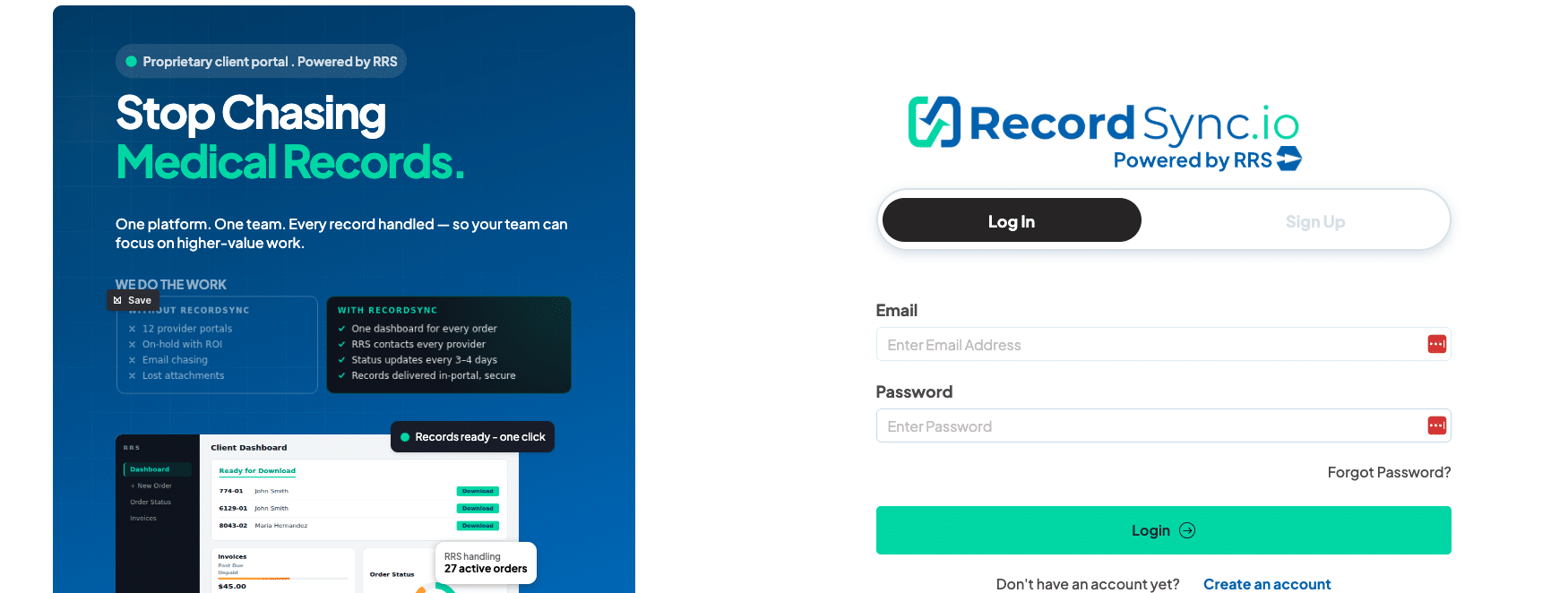
- RecordSync.io centralizes medical record retrieval. Submit, track, and receive requests from one platform.
- RRS handles the retrieval work. Our team manages provider outreach, follow-ups, fees, and responses.
- Your team maintains visibility. Request statuses and provider activity are available through RecordSync.io.
- Completed records are securely delivered. Records and related correspondence remain connected to the retrieval workflow.
- Filevine users have an integrated option. Legal teams can submit requests, receive updates, and get completed records through their existing Filevine workflow.
Using RecordSync.io is straightforward: submit your medical record request, let Record Retrieval Solutions (RRS) manage provider outreach and follow-ups, monitor progress through the platform, address any issues requiring your input, and securely access the completed records.
The important distinction is that RecordSync.io is not simply a portal where we give your team another process to manage. It connects the technology used to submit and track requests with the RRS team performing the retrieval work behind the scenes.
For personal injury law firms, insurance teams, life sciences organizations, and other businesses managing multiple record requests, that means less time chasing providers and more visibility into what is happening with each request.
What Do You Need Before Using RecordSync.io?
Before submitting a request, gather the information RRS will need to identify the patient, provider, and records being requested.
Depending on the request, this can include:
- Patient information
- Healthcare provider or facility information
- Type of records required
- Relevant dates of service
- Required authorization or supporting documentation
- Matter, claim, or internal reference information
Accurate information at submission helps reduce preventable back-and-forth once retrieval begins.
For a personal injury firm, for example, the goal should be to identify the relevant treating providers and clearly define whether the case requires medical records, billing records, or both before submitting the request.
Once you have the necessary information, the RecordSync.io workflow can begin.
Step 1: Submit Your Medical Record Request
After you create an account, create the request in RecordSync.io and enter the required patient, provider, and record information.
Clearly identify what you need. A request for billing records may follow a different provider workflow than a request for clinical records, even when both involve the same healthcare organization.
After submission, RRS reviews the request and begins processing it.
At this point, your staff shouldn’t need to create a separate spreadsheet entry or start manually calling the provider just to keep the request moving. The request becomes part of the centralized RecordSync.io workflow.
Step 2: Let RRS Manage Provider Outreach
Once we receive the request, RRS manages the provider-facing retrieval work.
Our operations team handles provider outreach, follow-ups, fees, and responses throughout the retrieval process. When providers are delayed or unresponsive, RRS uses defined follow-up procedures and can escalate delayed or complex requests.
This distinction matters.
A portal that simply records a request may still leave your staff responsible for calling providers, checking status, documenting responses, and deciding when to follow up again.
RecordSync.io is built around a different operating model: RRS handles the retrieval work while your organization maintains visibility into it.
For a busy personal injury firm, that can prevent paralegals and case managers from becoming the de facto retrieval department.
Step 3: Track Your Request in RecordSync.io
After submitting the request, use RecordSync.io to monitor its progress instead of relying on scattered emails or repeatedly asking RRS for an update.
The platform provides centralized visibility into active requests and the provider activity connected to them.
That visibility helps answer the operational questions that matter:
Was the request submitted? What is happening with it? Is something holding it up?
This becomes especially useful when multiple people depend on the same records.
For example, a paralegal may manage the request while an attorney is waiting for the records to evaluate damages or prepare a demand. Instead of asking the paralegal to investigate the status, authorized team members can use the centralized request information available in RecordSync.io.
The same model applies to other industries. Claims professionals may be waiting for medical documentation to evaluate a claim, while a DME supplier may need supporting records for a documentation workflow.
RecordSync.io keeps the retrieval activity connected to the underlying request.
Step 4: Address Exceptions When Action Is Required
Not every retrieval proceeds without questions. Providers may require additional information, an authorization may need attention, or another issue may prevent the request from progressing.
When client action is necessary, centralized visibility makes it easier to understand the issue and respond without reconstructing the request history from email threads, notes, and spreadsheets.
The key is to separate normal retrieval activity from issues that actually require your team’s attention.
RRS handles routine provider follow-up. Your team can focus on exceptions that require its information or authorization.
That creates a cleaner division of responsibility:
RRS handles the chase. Your team handles decisions and information only when necessary.
Step 5: Receive and Access Completed Records
Once retrieval is complete, RecordSync.io securely delivers the records.
This keeps the final documents connected with the same centralized workflow used to manage the request.
RecordSync.io provides secure delivery and storage, role-based portal access, controlled user permissions, and activity history for review and reporting.
These controls are particularly important when working with electronic protected health information (ePHI). Organizations handling ePHI need appropriate safeguards around access, storage, and transmission.
Instead of having completed records scattered across individual inboxes and disconnected folders, your organization has a defined location for accessing the results of the retrieval process.
How Does RecordSync.io Work With Filevine?
Personal injury firms using Filevine can connect medical record retrieval more directly to their existing case-management workflow.
The RRS and Filevine integration allows legal teams to:
- Submit medical and billing record requests from a Filevine project
- Sync request updates, statuses, and notices
- Receive completed records and declarations in the appropriate Filevine matter
- Reduce manual uploads and duplicate data entry
This changes where the user interacts with the retrieval workflow, but RRS still manages the retrieval operation behind it.
For example, imagine a personal injury case involving records from six treating providers.
Without an integrated process, staff may have to enter information into a retrieval portal, check another system for status, download returned records, determine which matter they belong to, and upload them into Filevine.
With the RecordSync.io integration, key retrieval activities stay connected to the Filevine matter.
Filevine remains the firm’s case-management platform. RecordSync.io and RRS handle the medical record retrieval workflow.
RecordSync.io Workflow at a Glance
|
Stage |
What Your Team Does |
What RRS Does |
|
1. Prepare |
Gather patient, provider, record, and authorization information |
Provides the retrieval workflow |
|
2. Submit |
Enter and submit the request |
Reviews the request and begins processing |
|
3. Retrieve |
Monitor progress when needed |
Contacts providers and manages follow-ups |
|
4. Track |
Review request status and activity |
Documents retrieval activity and provider responses |
|
5. Resolve |
Respond when additional client information or action is required |
Manages routine issues and escalates delayed or complex requests |
|
6. Receive |
Access the completed records |
Delivers retrieved records securely |
The main advantage of this workflow is not simply having another piece of software.
It is having a clear division of work.
Your team supplies the information RRS needs and maintains visibility. We handle the provider-facing retrieval work required to move the request toward completion.
Start Using RecordSync.io
Medical record retrieval should not require your staff to spend every day checking spreadsheets, searching inboxes, calling providers, and asking where requests stand.
RecordSync.io gives your organization one place to manage the client side of the process while the RRS team handles the retrieval work behind it.
For personal injury firms, insurance teams, life sciences organizations, DME suppliers, and other businesses managing medical record requests, the workflow is simple:
Submit the request. See what is happening. Let RRS handle the chase. Receive the records securely.
Want to see the workflow in action? Book a RecordSync.io demo with RRS.
FAQs
Is RecordSync.io included with RRS services?
Yes. RecordSync.io is included with RRS medical record retrieval services at no additional platform cost.
Do I have to follow up with providers myself?
No. RRS manages provider outreach and routine follow-ups while you track progress through RecordSync.io.
Can I track my requests in real time?
Yes. RecordSync.io provides centralized visibility into request status and provider activity.
Is RecordSync.io HIPAA compliant?
RecordSync.io supports HIPAA-compliant workflows with secure access, encrypted delivery and storage, and role-based permissions.
Does RecordSync.io integrate with Filevine?
Yes. The integration lets legal teams submit requests, receive updates, and receive completed records within their Filevine workflow.