Key takeaways
- Four channels, one that fits most legal work. Portals, Blue Button and HIEs serve patients and clinicians. Formal ROI requests backed by a valid HIPAA authorization, subpoena or court order are the standard path for third-party requestors.
- The authorization drives everything. A defective authorization is one of the most common reasons a request stalls. Get the core elements right before the request goes out.
- The 30-day HIPAA clock is a patient right, not yours. HHS guidance states that disclosures under a HIPAA authorization carry no federal timeliness requirement. State law and persistent follow-up decide how fast records arrive.
- Patient-rate fee caps do not cover third parties. Since a 2020 federal court decision, federal fee limits apply to a patient’s own access request. Third-party fees are governed largely by state law.
- Portal printouts are not the legal record. Older records, imaging, billing and pre-migration notes often never appear in a portal. Certified copies and “No Records Found” certificates come from the custodian of records.
- Volume changes the math. Across many providers and matters, follow-up, deficiency tracking and fee approvals become the real workload. That is where a retrieval partner earns its keep.
Medical records move electronically through four channels: patient portals, Blue Button tools, health information exchanges (HIEs), and formal release-of-information (ROI) requests sent to a facility’s Health Information Management (HIM) department. For a law firm, insurer or life sciences team, only one of those channels reliably produces a complete, certified record you can use in a case or claim. The other three were built for patients and clinicians, and they matter to you mainly as a way to spot what exists before you request it formally.
At Record Retrieval Solutions (RRS), we retrieve medical, billing, imaging and pharmacy records every day for attorneys, paralegals, claims professionals and life sciences teams. Below, we walk through each channel from the requestor’s side of the desk: what it can do for your file, where it falls short, and what it takes to manage dozens of requests at once without losing track of any of them, and how RecordSync, our medical record retrieval software, keeps every request in one portal.
What to have ready before any request goes out
Every third-party request starts with legal authority to receive the records. Without it, a records department will not release anything, no matter which channel you use.
- A valid HIPAA authorization. Under 45 CFR 164.508, it must describe the records, name who may disclose them and who will receive them, state the purpose, include an expiration date or event, and carry the patient’s (or personal representative’s) signature and date. It also needs the required statements on the right to revoke, conditioning of treatment, and potential redisclosure. Many facilities add their own form on top of this, so confirm whether yours will be accepted.
- Or a subpoena or court order. A court order is generally honored on its face. An attorney-signed subpoena usually needs satisfactory assurances under 45 CFR 164.512(e), such as notice to the patient or a qualified protective order.
- Patient identifiers. Full legal name, date of birth, any prior names, and the facility’s medical record number if you have it.
- A precise scope. Record types (medical, billing, imaging, pharmacy), date ranges, and whether you need certification. Vague scopes invite clarification calls that add days before retrieval even starts.
- Representative documentation. For a deceased patient or a minor, include letters of administration, an executor appointment, or proof of guardianship along with the authorization.
The four electronic channels, from a requestor’s point of view
Channel | Who it was built for | What it can do for your file | Where it falls short for legal and claims work |
|---|---|---|---|
Patient portals | Patients | Your client can download visit summaries, results and medication lists and share them with you, which helps map providers and dates of service early | Not the complete legal record, not certified, rarely includes billing, imaging or older notes |
Blue Button tools, including Medicare Blue Button 2.0 | Patients and the apps they authorize | A Medicare client can authorize an app to pull Part A, B and D claims data, a fast way to identify every provider who billed for care | Claims data, not clinical records; one organization’s data at a time |
Health information exchanges (HIEs) | Clinicians coordinating care | Shows which participating organizations hold records on a patient | Built for treatment, so litigation and claims requestors generally cannot query them; sensitive data is often excluded |
Formal ROI requests to the HIM department | Anyone with legal authority to receive records | The complete designated record set, certified copies, custodian affidavits and “No Records Found” certificates | Every facility has its own forms, fees, delivery methods and pace, and none of it is coordinated across providers |
Patient portals: useful for discovery, not for production
Patient portals give patients quick electronic access to results, medications, allergies, and visit summaries, and some let a patient share access with another party. For your team, a client’s portal export is a good early look at who treated them and when. It is not the legal medical record. Older charts, imaging studies, billing records, and notes from before a system migration often never appear in a portal. We also advise against firm staff logging in with a client’s credentials, since the output carries no certification or chain of custody.
What are Blue Button tools?
Blue Button is a federal patient-access initiative, not a single database or app. The Department of Veterans Affairs (VA) and the Centers for Medicare & Medicaid Services (CMS) launched it in 2010 as a “download my data” button, and it has since spread to insurers, pharmacies, labs, and provider portals. When a patient sees the Blue Button logo or download option, they can pull a copy of whatever health data that organization chooses to share, such as claims, medications, diagnoses, lab results, or immunizations.
Blue Button 2.0 is the CMS version built as an application programming interface (API), launched in 2018. It lets a Medicare beneficiary authorize a third-party app to retrieve their demographics, coverage, and Medicare Part A, B and D claims going back to 2014 through a CMS sign-in and consent flow. It does not include Medicare Advantage (Part C) claims. Because each organization holds its own data, one Blue Button download is never a complete record across all of a patient’s providers.
Blue Button: claims data that maps the care
For law firms and claims teams, Blue Button is a discovery tool, not a production tool. A Medicare client’s claims history can surface providers they forgot to mention, along with dates of service. That makes your formal requests more complete from day one. Claims data will not replace the clinical chart, so the records themselves still come through a formal request.
HIEs: valuable for clinicians, closed to most requestors
A health information exchange connects participating providers so clinicians can find records held elsewhere during referrals, emergencies or unplanned care. HIE access is tied to treatment and similar purposes, so law firms, insurers and other third parties generally cannot run queries for litigation or claims. Consent rules vary by state, and categories such as behavioral health, substance use and HIV information are often excluded by default. Treat an HIE as a reason to ask a provider which other facilities they share data with, not as a source of production records.
Formal ROI requests: the path to a certified, complete record
When you need the complete designated record set, certified copies, or proof that no records exist, the request goes to the facility’s HIM, Medical Records or ROI department. Some facilities accept requests through an online portal, some through a secure upload or e-fax, and many outsource release of information to a vendor with its own process. There is no national form, so expect each facility to want its own paperwork alongside your authorization.
Timelines. The HIPAA 30-day response requirement applies to a patient’s own access request. HHS guidance is clear that a disclosure under a HIPAA authorization is permitted but not required, and carries no federal timeliness requirement. State laws often set their own deadlines, and those are what you can enforce. A client can also direct a provider to send an electronic copy of their electronic health record to you under the HIPAA right of access. That route keeps the 30-day requirement, but it only covers electronic health records.
Fees. The patient-rate fee limits apply to a patient requesting their own records. After a 2020 federal court decision, those limits no longer extend to records sent to a third party, so fees for law firms and insurers are set largely by state statute and facility policy. Expect search, retrieval, per-page and certification charges that vary widely by state and facility.
Certification. For trial, arbitration or a claim file, ask for a certified copy with a custodian of records affidavit. If a facility has nothing on file, request a “No Records Found” certificate so the gap is documented.
Where the real workload sits: managing requests at scale
One request to one facility is manageable. A personal injury case with eight treating providers, a mass tort docket with hundreds of plaintiffs, or a claims queue that never empties is a different job. Each facility has its own form, its own ROI vendor, its own fee schedule and its own idea of what “complete” means. Your team ends up chasing invoices, re-sending authorizations that were rejected for a missing statement, and comparing what arrived against what was requested.
That is the work RRS takes off your desk. Founded in 2014 and built on 35 years of industry experience, RRS handles retrieval from start to finish:
- Provider outreach and follow-up with each facility and its ROI vendor, including escalation when a request stalls
- Authorization review before submission, so defects are caught before a facility rejects the request
- Deficiency tracking that compares what arrived against what was requested, and goes back for what is missing
- Certified, court-ready records with chain of custody, plus “No Records Found” certificates when a facility has nothing on file
- Medical, billing, radiology and imaging, pharmacy and EMR retrieval in one place
- Optional add-ons including OCR, Bates numbering, indexing and record summaries
- U.S.-based support from a team that knows medical records
RecordSync: medical record retrieval software built by RRS
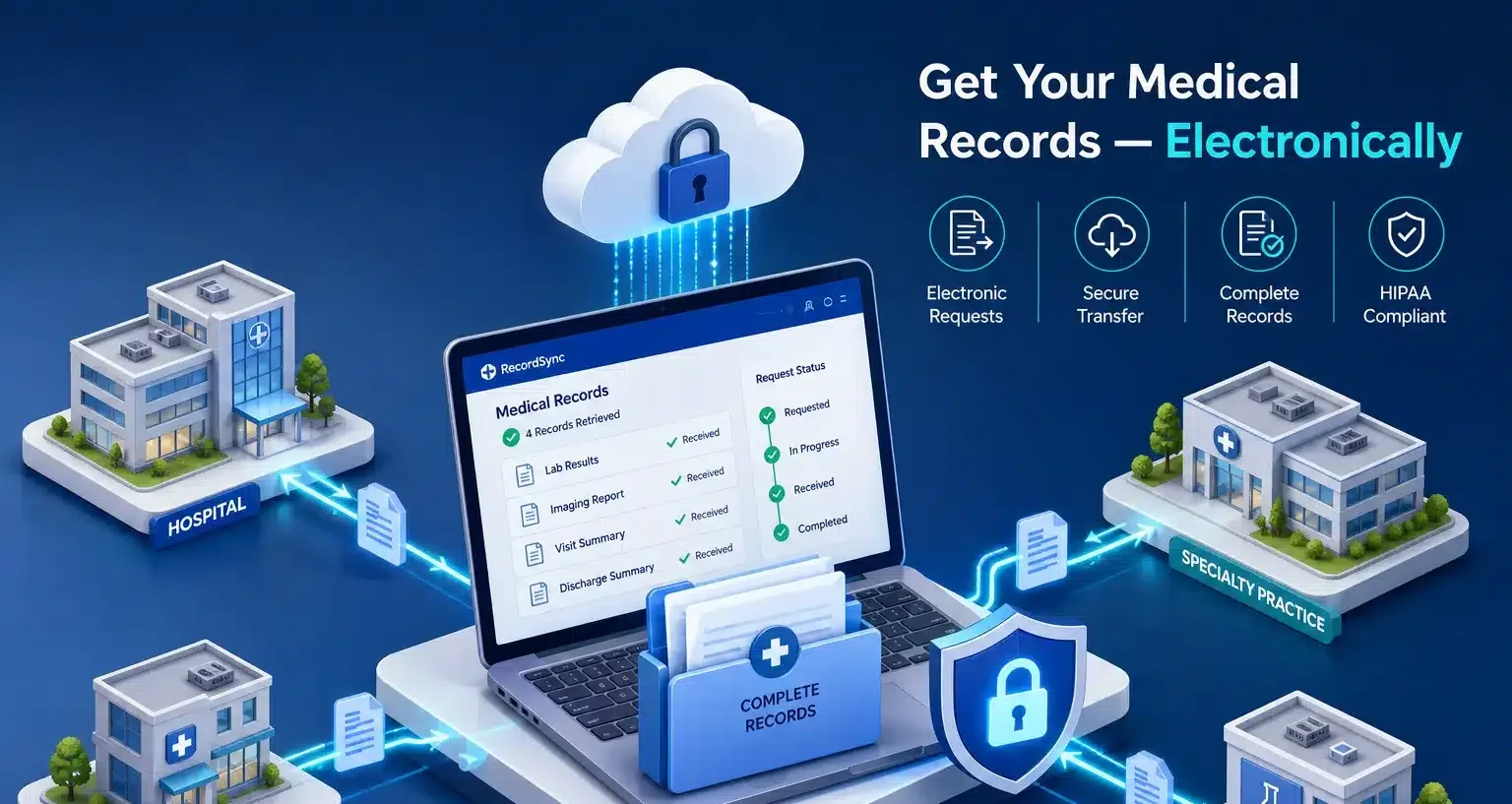
Every RRS request runs through RecordSync, the medical record retrieval software and client portal built and powered by RRS. Instead of tracking requests across spreadsheets, email threads and a dozen facility portals, your team works from one secure place:
- Submit requests for any provider, matter or claim
- Follow real-time status on every request, from submission to delivery
- Approve provider fees before they are paid, with no surprises on the invoice
- Receive records through secure delivery, organized and ready for your file
Behind the portal, the RRS retrieval team does the outreach, follow-up and quality checks, so the software shows progress your staff did not have to chase. Firms on Filevine can connect RecordSync directly to their case management workflow. Learn more at recordsync.io.
Pricing is simple: a $45 flat service fee per request, with provider, copy and certification fees passed through at cost and no markup. Average turnaround is 16 days, depending on the facility.
Whether you are a solo practitioner or running a high-volume litigation, claims or life sciences program, we are on it. Book a RecordSync demo to see how RRS can take retrieval off your team’s plate.
The bottom line
Portals, Blue Button and HIEs help patients and clinicians see records quickly, and they can help your team map a client’s care. When the record has to hold up in a case or a claim file, the path runs through a formal request backed by a valid authorization, subpoena, or court order. Get the authorization right, know your state’s deadlines and fee rules, and insist on certification. When the volume outgrows your team, let RRS run the retrieval while you focus on the case.
FAQs
How long does a provider have to respond to a law firm's medical records request?
Under federal guidance, there is no fixed deadline for a disclosure made under a HIPAA authorization. The 30-day HIPAA requirement applies to a patient’s own access request. Many states set their own response deadlines for third-party requests, and those govern. RRS averages a 16-day turnaround, depending on the facility.
Can a law firm use a client's patient portal records as evidence?
Portal exports are helpful for identifying providers and dates of service, but they are not certified and often leave out billing, imaging and older records. For litigation, request a certified copy of the designated record set from the facility’s custodian of records.
What makes a HIPAA authorization valid for medical record retrieval?
A valid authorization under 45 CFR 164.508 describes the information, names the disclosing party and recipient, states the purpose, includes an expiration, and carries the patient’s or representative’s signature and date. It also includes the required statements on revocation, conditioning and redisclosure. Some facilities require their own form as well.
What is RecordSync?
RecordSync is the medical record retrieval software and client portal built and powered by RRS. Clients use it to submit requests, follow real-time status, approve provider fees and receive records through secure delivery, while the RRS team handles the retrieval behind the scenes.